
Fast. Flexible. Medical Credit.
Signup is quick, easy and intuitive.
Apply Now
The MediWallet application is quick and easy, but if you have any questions or needs assistance, please get in touch with our team.

Approval is subject to affordability and a credit assessment. MediWallet is operated by Fever Tree Finance (Pty) Ltd, an Authorised Financial Services Provider (FSP44281) and Registered Credit Provider (NCRCP19967).

Step 1: Complete the application
Complete the online application form seen above and choose your preferred, qualifying payment term.
Step 2: Pass the checks
Depending on your selected payment term, you may be required to submit supporting documents.
Step 3: Approval
You will be notified once your account has been approved and the account facility you have been granted when the affordability evaluation process is complete. Once you are approved, you can use your account immediately.
Step 4: Use your account to pay
To use your account, simply present your ID/driver’s licence or Scan to Pay using the MediWallet App at any of our participating MediWallet partners.
To use your account at Clicks, simply swipe your MediWallet card.
Need a MediWallet card? Simply collect one at your nearest Spec-Savers store.
Earn 10% back at

on all purchases in points to use towards future spend (MediWallet option only).
Find out moreCare Today. Pay Tomorrow.
Already a member?
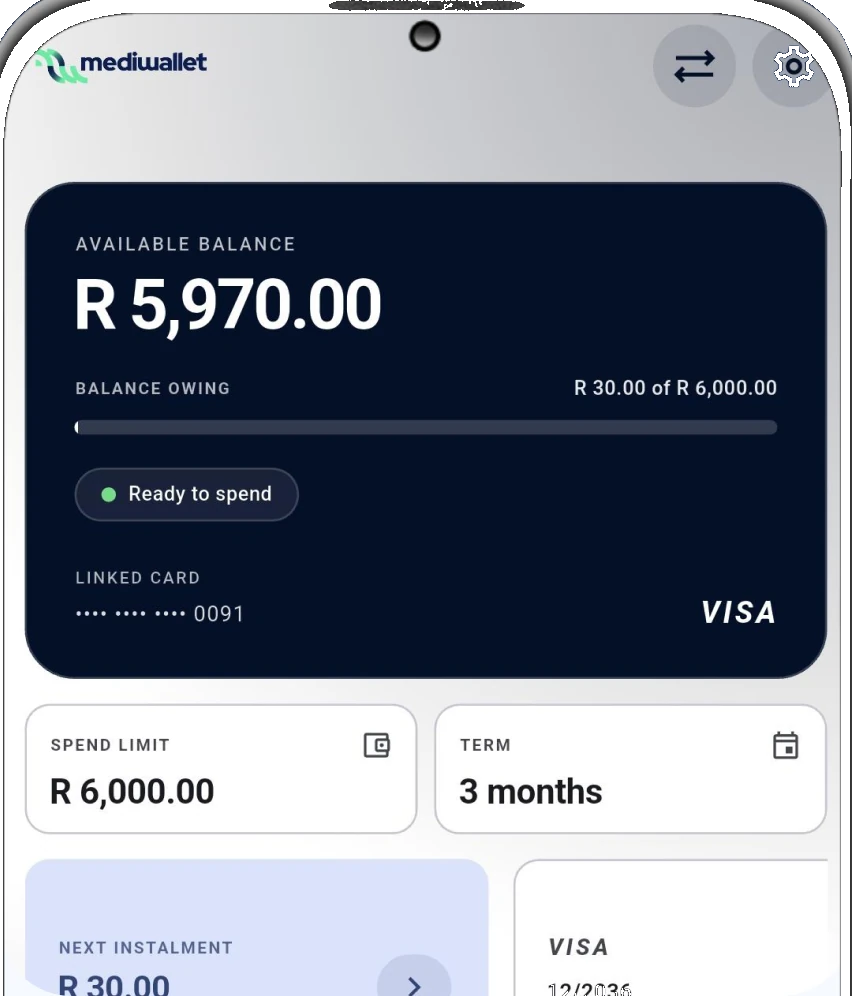
Browse the App
The MediWallet App runs in your browser — nothing to download, nothing to install. Sign in to check your available spend and points balance, manage your points (earn or spend mode), view your spend history, request an increase on your account facility, update your personal details and see exclusive deals and offers.